
How to Log Out of All NightLuck Devices Remotely
Maintaining control over your online casino account is crucial for security and peace of mind. If you’ve logged into your account on a shared or public device, or if you’ve simply lost a phone or tablet, knowing how to remotely terminate all active sessions is an essential skill. This guide provides a clear, step-by-step walkthrough for logging out of all devices associated with your NightLuck casino account, ensuring that only you have access.
Why Remote Logout is a Critical Security Feature
Remote logout is a powerful security tool offered by reputable online platforms like NightLuck. Its primary purpose is to protect your account and funds from unauthorized access. For instance, if you forget to log out from a computer at an internet cafe or a friend’s house, someone else could potentially gain control of your account. Similarly, if your mobile device is lost or stolen, a remote session termination ensures that your NightLuck bonus balance, personal details, and banking information remain secure. It is a first line of defense, complementing strong passwords and two-factor authentication.
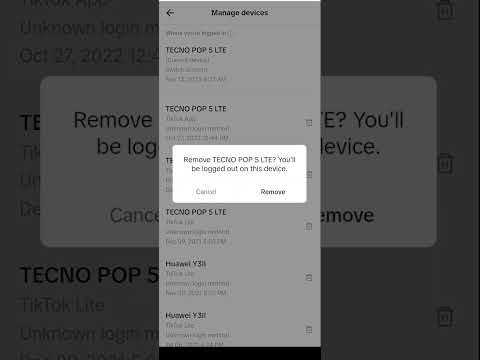
Step-by-Step Guide to Securing Your Account
Logging out of all devices is a straightforward process within the NightLuck platform. Follow these steps carefully to ensure it is done correctly. You will need to be logged into your account on at least one device to perform this action.
- Log into your NightLuck account on your preferred device (desktop or mobile browser).
- Navigate to your account settings or profile page. This is typically found by clicking on your username or avatar in the top corner of the screen.
- Look for a section labeled “Security,” “Device Management,” or “Active Sessions.”
- Within this menu, you should find an option clearly named “Log out of all other devices,” “Terminate all sessions,” or something similar.
- Click this button. You will likely be asked to confirm this action for security reasons.
- Once confirmed, you will receive an on-screen notification that all other sessions have been successfully terminated.
You will now be logged out on every device except the one you are currently using. You will need to log in again on any other trusted devices you use.
What to Do Immediately After a Remote Logout
After performing a remote logout, it is wise to take a few additional security measures. First, change your account password immediately. This is especially important if you suspect your account may have been compromised. Second, review your recent account activity. Check your transaction history for any withdrawals or bets you did not make. Also, verify that your contact email and phone number are still correct to ensure you receive all security notifications. If you were planning to use a NightLuck promo code, ensure your account is in good standing before doing so.
Common Issues and Troubleshooting
While the process is generally smooth, you might occasionally encounter a problem. The most common issue is not being able to find the “Log out of all devices” option. If this is missing, it may be located under a different sub-menu, or your casino client may require an update. If the option is truly unavailable, your best course of action is to change your password, which will often automatically log out all active sessions. If you continue to experience problems, the next step is to contact NightLuck customer support directly for assistance. For other home security tips, you can always check out resources at brighousecarpets.co.uk/where-to-find-us-contact.
Understanding NightLuck’s Security Protocols
NightLuck employs several layers of security to protect user accounts. The remote logout feature is part of this robust system. When you initiate a mass logout, the casino’s servers invalidate all existing session tokens associated with your account. This means that even if someone has a currently active login cookie, it becomes useless and they will be forced to re-authenticate. This process is instantaneous and is a standard security practice across the industry. It highlights the platform’s commitment to protecting your data, whether you’re claiming a NightLuck no deposit offer or making a high-stakes withdrawal.
| Scenario | Recommended Action | Result |
|---|---|---|
| Lost or stolen phone | Perform remote logout immediately + change password | Instantly secures account from the lost device |
| Logged in on a public computer | Perform remote logout when you get home | Ends the session on the public terminal |
| Suspicious account activity | Remote logout + password change + contact support | Locks out intruder and alerts security team |
| Cannot find logout option | Change your password instead | Password change usually forces all devices to log out |
Proactive Measures to Keep Your Account Safe
Prevention is always better than cure. To minimize the need for emergency remote logouts, adopt strong security habits. Always consciously log out of your NightLuck account when you finish playing, especially on devices you do not own. Avoid using public Wi-Fi networks for gambling or financial transactions without a VPN. Furthermore, be wary of phishing emails pretending to be from NightLuck that attempt to steal your login credentials. Remember, the casino will never ask for your password via email. By taking these steps, you can enjoy your NightLuck free spins and gameplay with greater confidence and security.

 Escribenos por WhatsApp
Post a comment